A home health startup was drowning in endless records and intake documentation with no scalable path forward. I designed this serverless pipeline on AWS to show a baseline vision on how to replace that manual process with an event-driven architecture. This solution is projected to reduce document processing time by 70 percent and intake cycle time by 60 percent. As a bonus this would require no servers to manage, no polling loops, and near-zero idle cost.
A home health startup was drowning in endless records and intake documentation with no scalable path forward. I designed this serverless pipeline on AWS to show a baseline vision on how to replace that manual process with an event-driven architecture. This solution is projected to reduce document processing time by 70 percent and intake cycle time by 60 percent.
This architecture reflects real-world patterns used in document intake systems, insurance claim processing, healthcare form digitization, and legal document management.
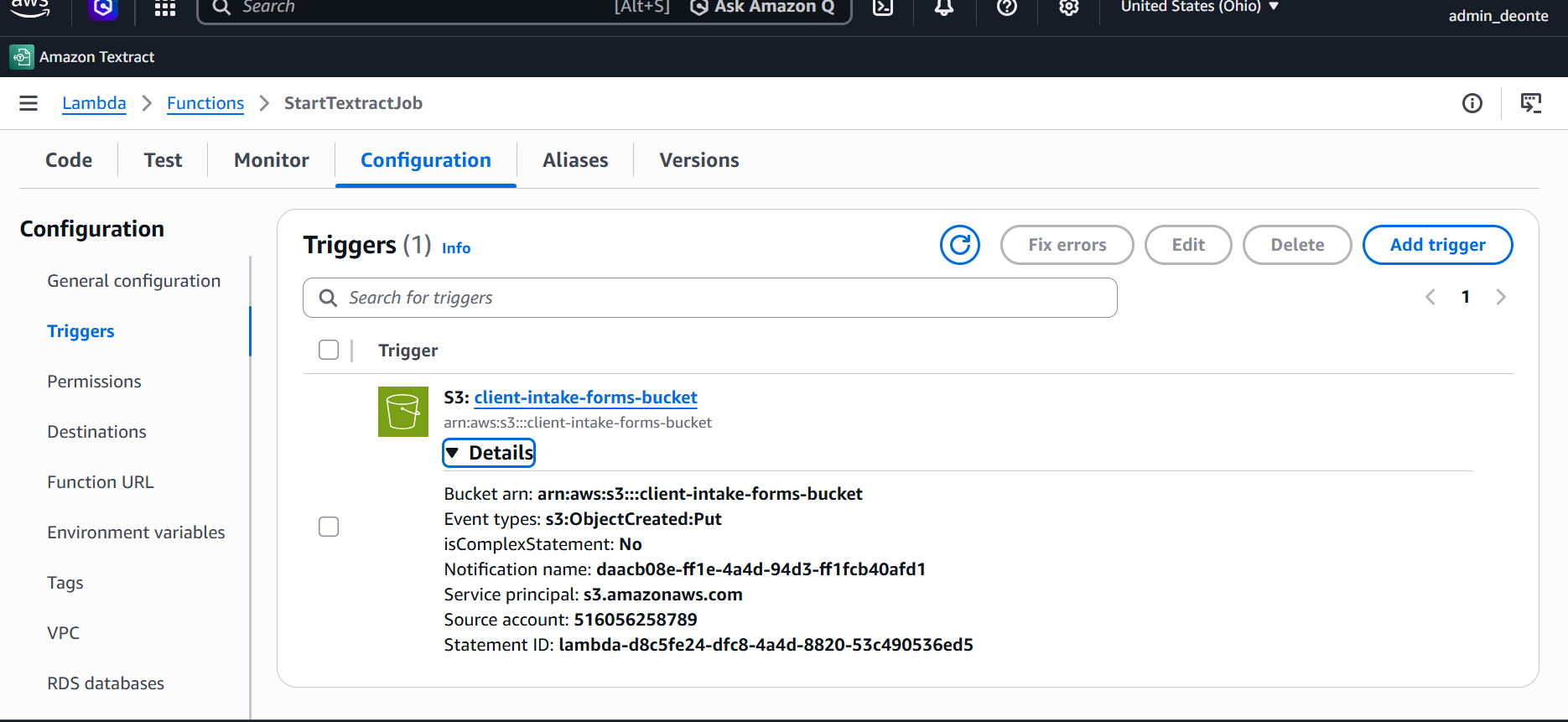
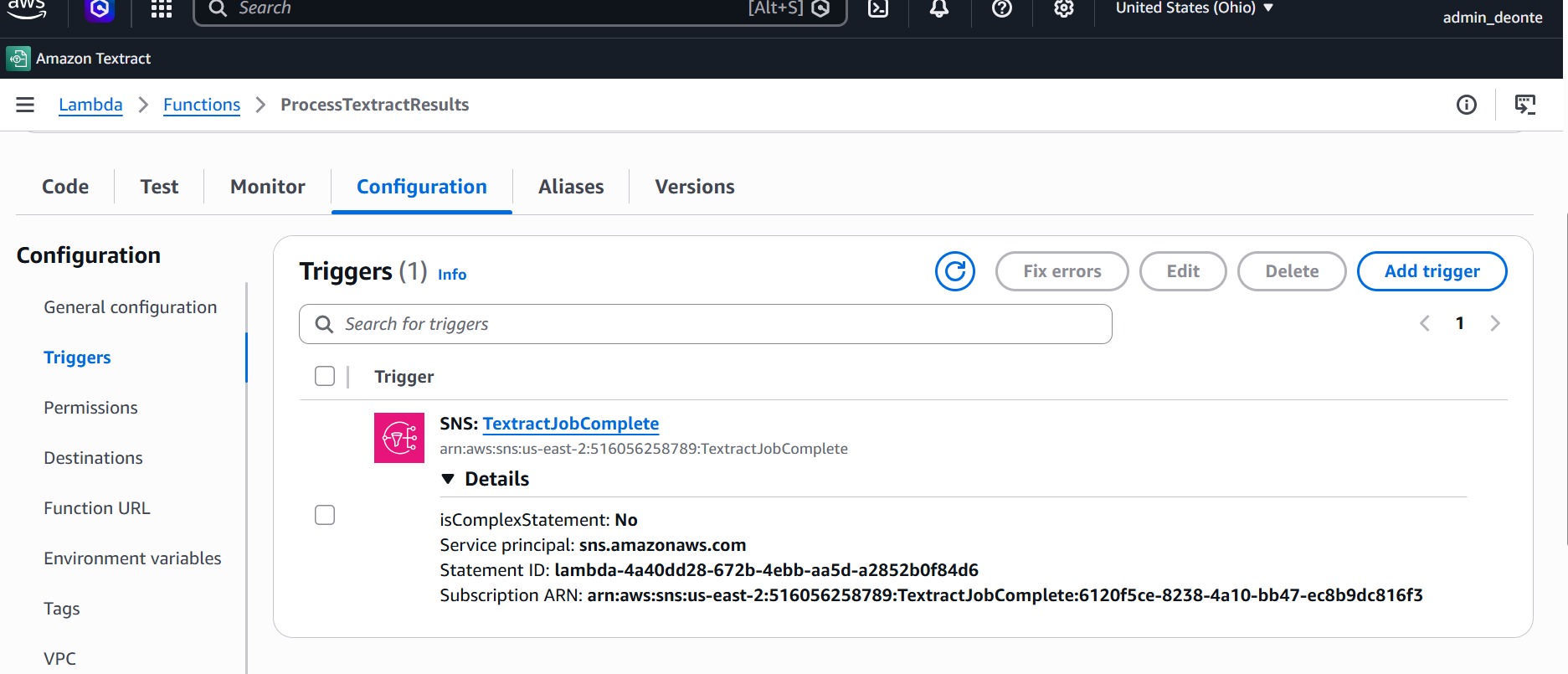
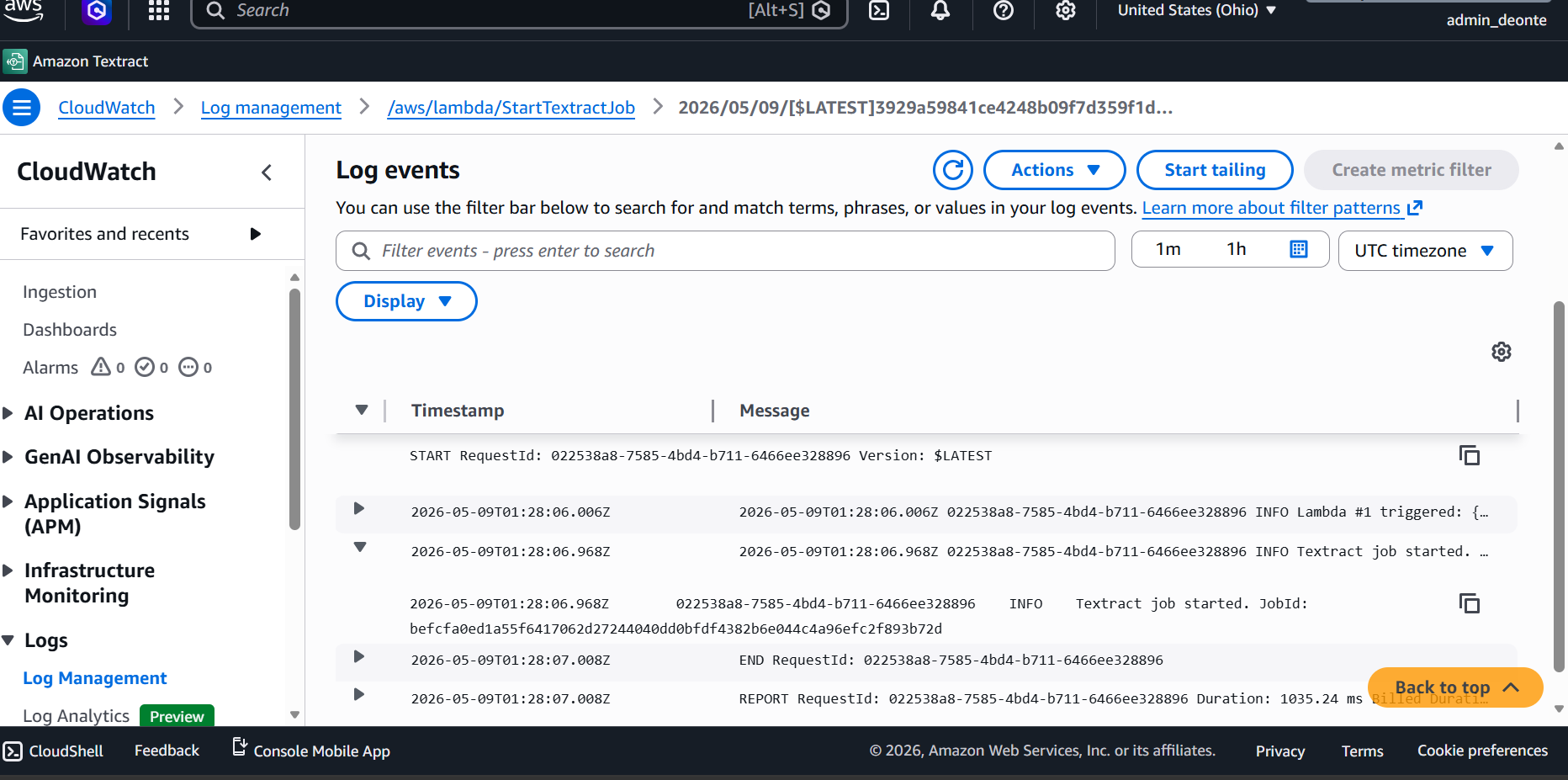
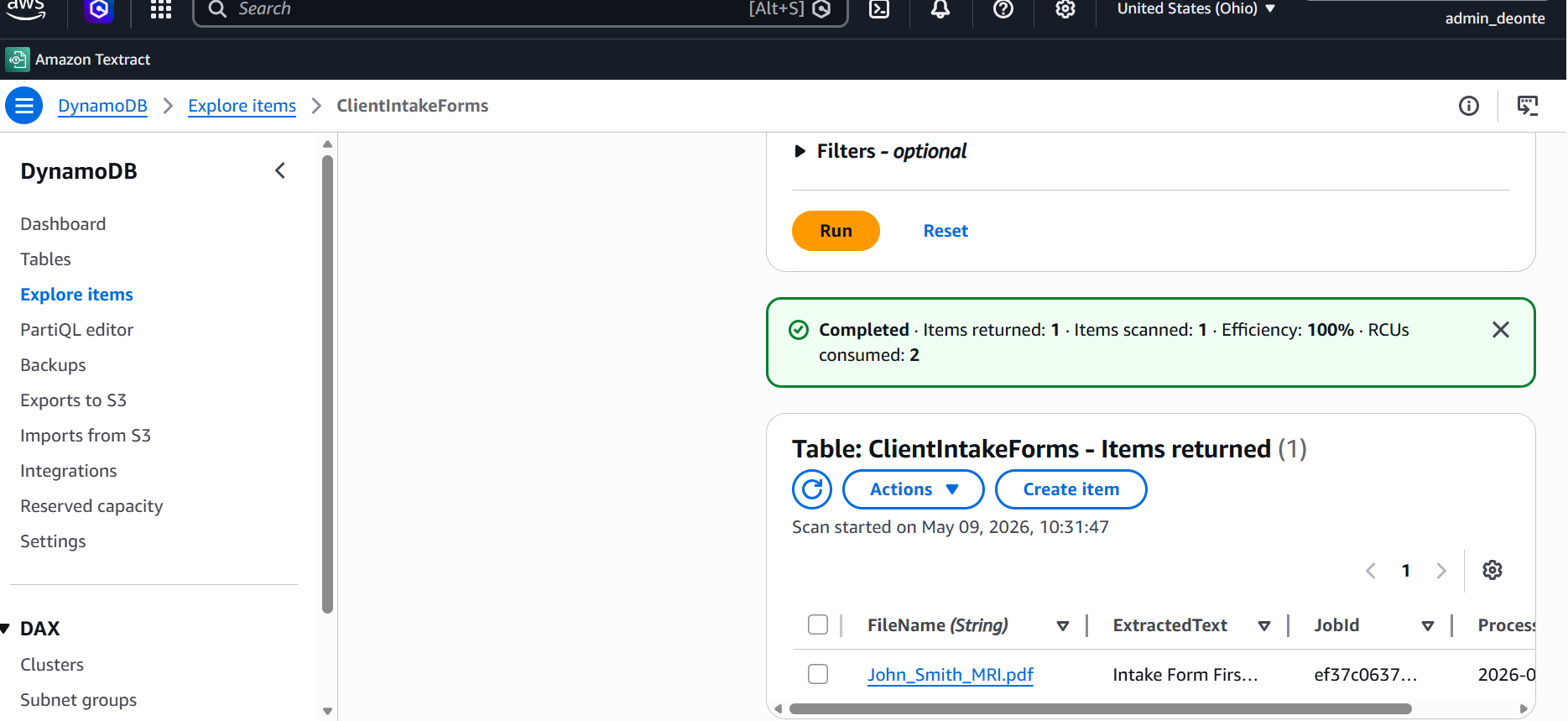
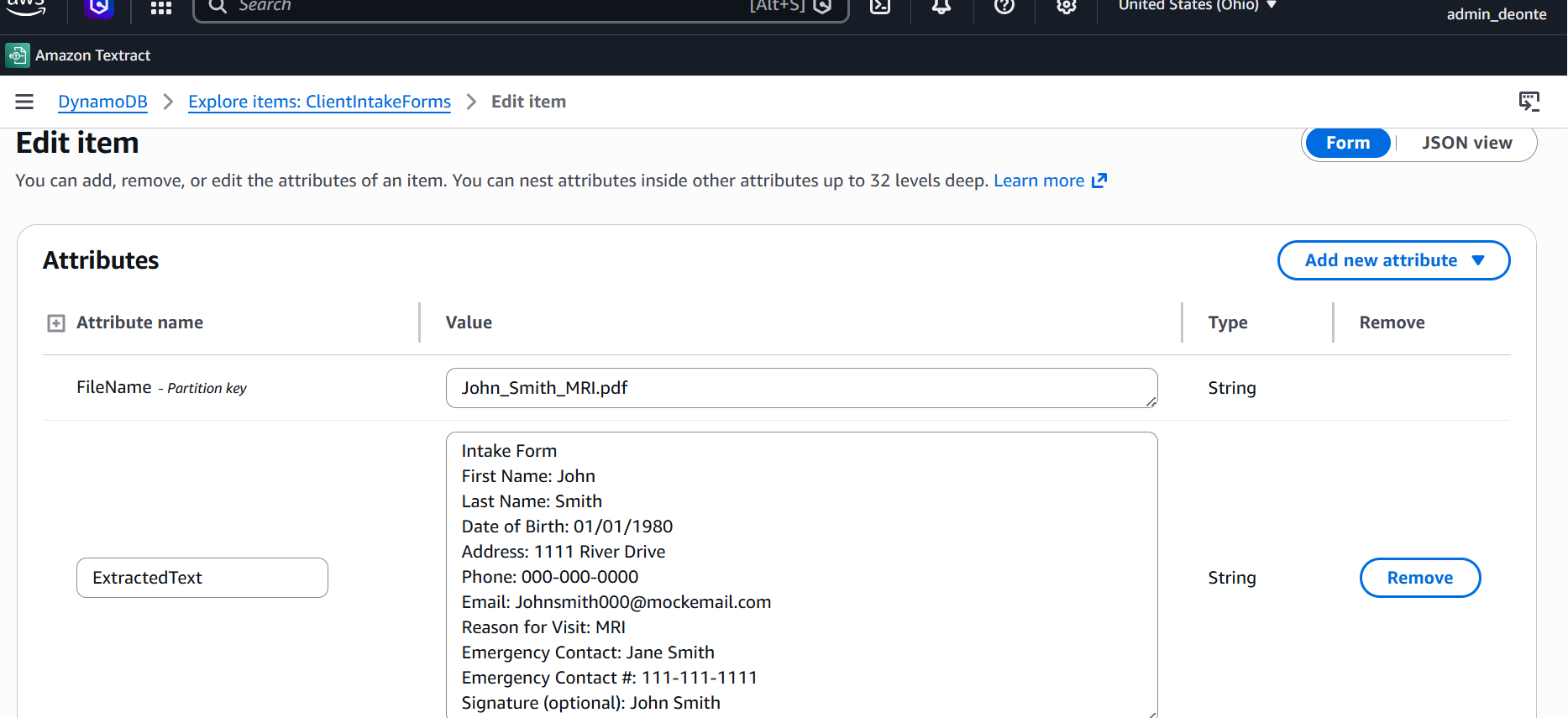
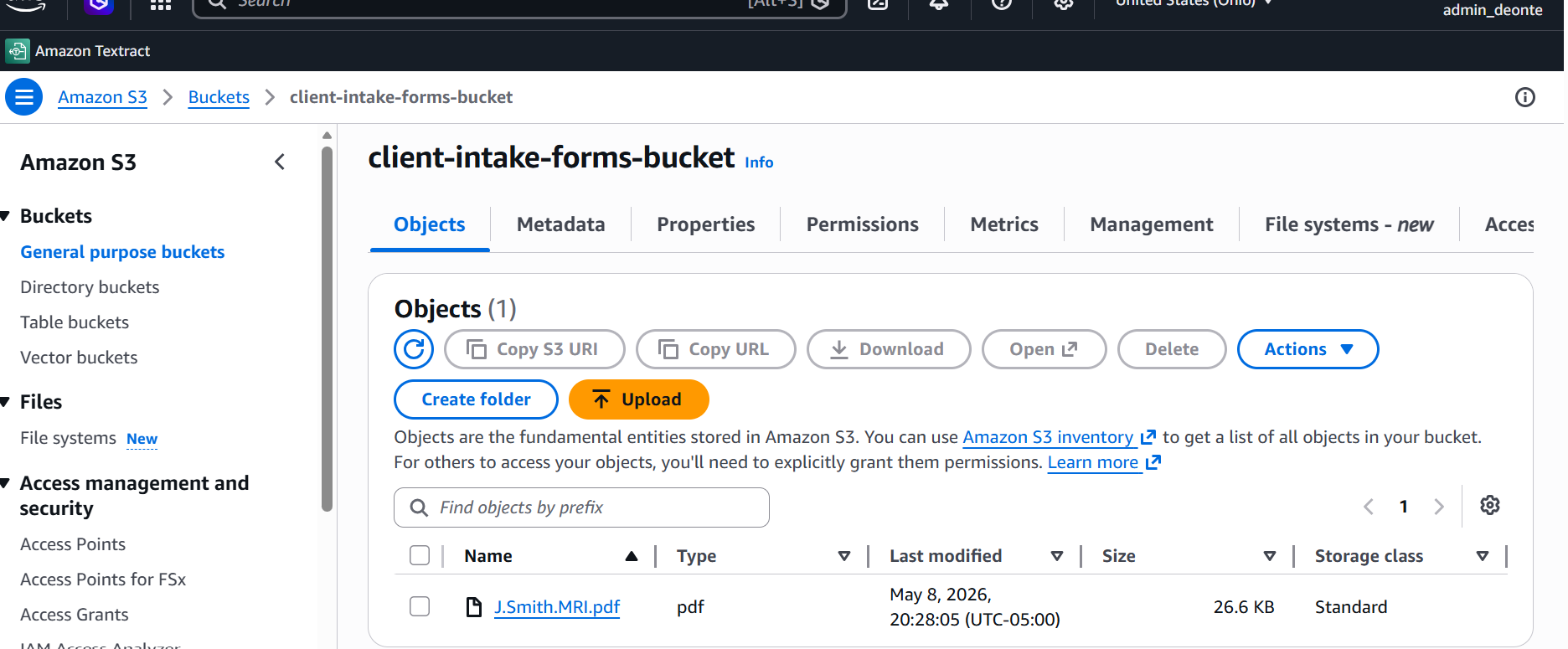
The pipeline is fully event-driven. Nothing runs unless something happens. A PDF upload to S3 fires a PUT event that invokes Lambda #1, which starts an asynchronous Textract job and passes the TextractJobComplete SNS topic as its notification destination. When Textract finishes, it publishes a completion message to SNS, which triggers Lambda #2. Lambda #2 paginates through all Textract result blocks using NextToken, then writes the extracted text, Job ID, and timestamp to DynamoDB. Both Lambda functions emit structured logs to dedicated CloudWatch log groups, capturing execution details, Textract Job IDs, extracted line counts, and any errors, providing full observability across the pipeline with zero additional infrastructure.
The two functions that power the pipeline. No servers, no polling, no hardcoded credentials. All resource references are stored as environment variables.
import {
TextractClient,
StartDocumentTextDetectionCommand
} from "@aws-sdk/client-textract";
const textract = new TextractClient({});
export const handler = async (event) => {
console.log("Lambda #1 triggered:", JSON.stringify(event));
const record = event.Records[0];
const bucket = record.s3.bucket.name;
const key = decodeURIComponent(record.s3.object.key.replace(/\+/g, " "));
const params = {
DocumentLocation: {
S3Object: {
Bucket: bucket,
Name: key
}
},
NotificationChannel: {
SNSTopicArn: process.env.SNS_TOPIC_ARN,
RoleArn: process.env.TEXTRACT_ROLE_ARN
},
JobTag: key
};
try {
const response = await textract.send(
new StartDocumentTextDetectionCommand(params)
);
console.log("Textract job started. JobId:", response.JobId);
return { statusCode: 200, body: "Job started successfully" };
} catch (err) {
console.error("Error starting Textract job:", err);
throw err;
}
};
import {
TextractClient,
GetDocumentTextDetectionCommand
} from "@aws-sdk/client-textract";
import {
DynamoDBClient,
PutItemCommand
} from "@aws-sdk/client-dynamodb";
const textract = new TextractClient({});
const dynamodb = new DynamoDBClient({});
const getAllBlocks = async (jobId) => {
let blocks = [];
let nextToken = null;
do {
const params = { JobId: jobId };
if (nextToken) params.NextToken = nextToken;
const response = await textract.send(
new GetDocumentTextDetectionCommand(params)
);
blocks = blocks.concat(response.Blocks || []);
nextToken = response.NextToken || null;
} while (nextToken);
return blocks;
};
export const handler = async (event) => {
console.log("Lambda #2 triggered:", JSON.stringify(event));
const snsMessage = JSON.parse(event.Records[0].Sns.Message);
const jobId = snsMessage.JobId;
const status = snsMessage.Status;
const fileName = snsMessage.JobTag;
console.log(`Job ID: ${jobId} | Status: ${status} | File: ${fileName}`);
if (status !== "SUCCEEDED") {
console.error("Textract job did not succeed. Status:", status);
return { statusCode: 400, body: "Textract job failed" };
}
try {
const blocks = await getAllBlocks(jobId);
const lines = blocks
.filter(b => b.BlockType === "LINE")
.map(b => b.Text)
.join("\n");
console.log(`Extracted ${lines.split("\n").length} lines of text`);
await dynamodb.send(new PutItemCommand({
TableName: process.env.DYNAMODB_TABLE,
Item: {
FileName: { S: fileName },
ExtractedText: { S: lines },
JobId: { S: jobId },
ProcessedAt: { S: new Date().toISOString() }
}
}));
console.log("Successfully saved to DynamoDB");
return { statusCode: 200, body: "Processing complete" };
} catch (err) {
console.error("Error processing results:", err);
throw err;
}
};
Screenshots from the live AWS environment showing each stage of the pipeline working end-to-end.
StartDocumentTextDetection means the pipeline handles multi-page documents without modification and never fails because a file was too large.NextToken before writing to DynamoDB. Skipping that step would mean silently dropping text from longer documents with no error and no indication anything went wrong.This project was structured as a formal cloud migration feasibility program, not just a technical build. I produced architecture decision records documenting the tradeoffs behind each service choice, a risk assessment covering HIPAA alignment and data handling, and a phased implementation roadmap designed to guide engineering adoption across the organization. That structure reflects how I approach cloud delivery: the architecture has to be something a team can actually adopt and operate, not just something that works in isolation.
Upon researching HIPAA compliance for transitions of this nature, one consideration that stands out is the AWS Shared Responsibility Model. AWS secures the underlying cloud infrastructure, but the agency itself is responsible for configuring it securely. That distinction matters significantly in a healthcare environment and is something this engagement is actively working through as part of ongoing planning and research. Building the architecture is only part of the work. Understanding what it takes to operate it safely is the other half.
| Resource Type | Name | Purpose |
|---|---|---|
| S3 Bucket | client-intake-forms-bucket | Stores uploaded PDFs and serves as the entry point of the pipeline |
| Lambda Function | StartTextractJob | Triggered by S3 PUT and starts the async Textract job |
| Lambda Function | ProcessTextractResults | Triggered by SNS and retrieves results then writes to DynamoDB |
| SNS Topic | TextractJobComplete | Notifies Lambda #2 when Textract finishes |
| DynamoDB Table | ClientIntakeForms | Stores extracted text keyed by file name |
| IAM Role | LambdaTextractStartRole | Grants Lambda #1 permission to read S3 and start Textract |
| IAM Role | TextractSNSRole | Allows Textract to publish completion to SNS |
| IAM Role | LambdaTextractResultRole | Grants Lambda #2 permission to fetch results and write to DynamoDB |